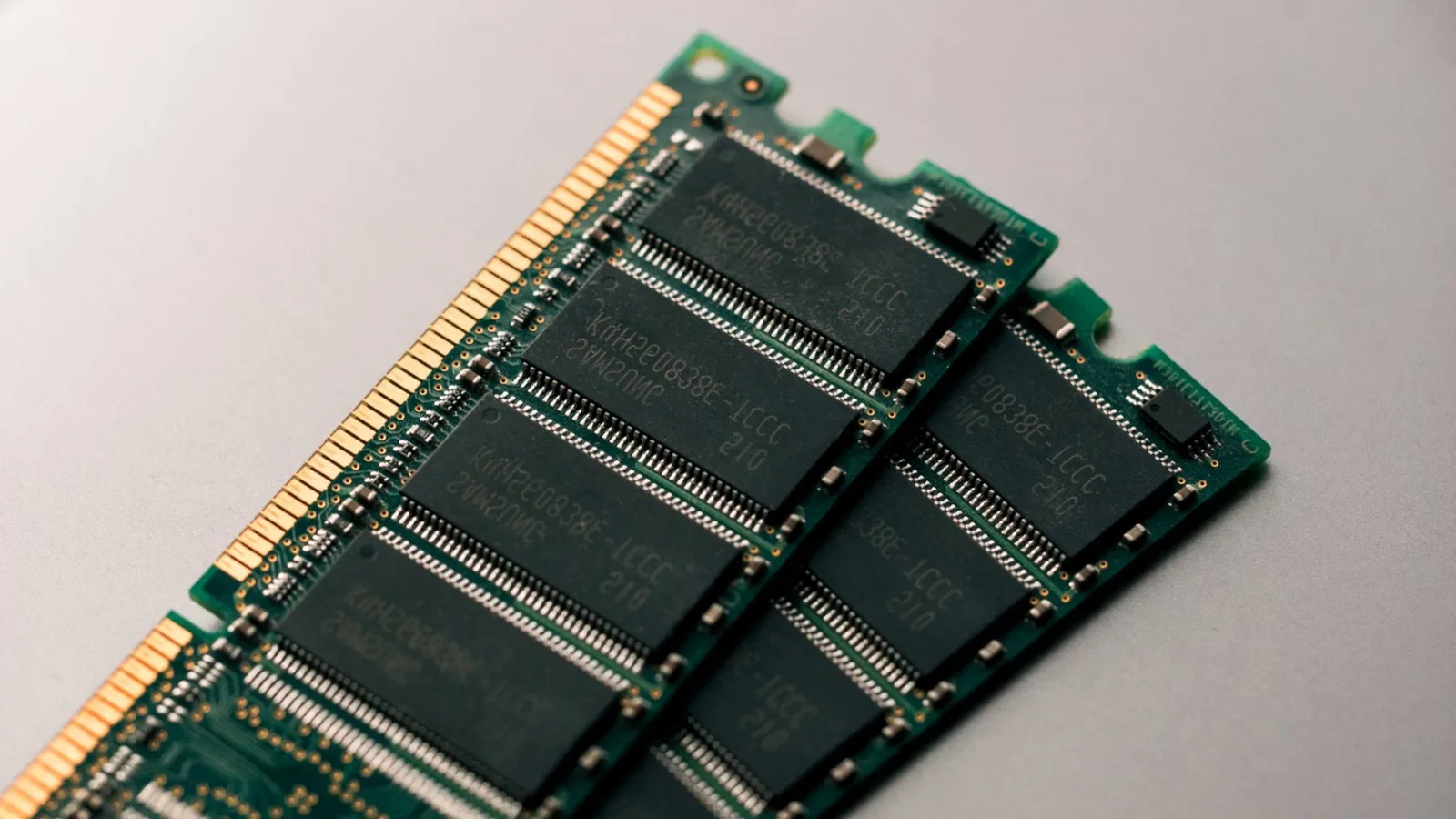
Quick answer: Buying DDR5 RDIMM in bulk means matching speed grade to platform first: DDR5-5600 is the volume default for current Intel and AMD servers, 4800 trades mostly as pulled stock, and 6400 rarely justifies its premium. Quote by full part number — Samsung's -CWM suffix is 5600, -CCP is 6400 — and demand per-module SPD dumps, matched-batch allocation and a 24–48-hour full-load burn-in report.
Buying server memory in bulk is not a spec-sheet exercise. It is a supply-chain exercise: the same "64GB DDR5 RDIMM" description can mean a factory-sealed Samsung tray, a homogeneous pull from one hyperscaler lease, or a re-labeled 4800 stick with a flashed SPD. The part numbers look identical in a quote; the outcomes are not.
This guide is how we buy and sell DDR5 ourselves — what actually moves, what the part number tells you, and the failure modes that only show up after the invoice is paid.
Which speed actually moves in bulk: 4800 vs 5600 vs 6400
The three DDR5 RDIMM speed grades trade in very different markets, and confusing them is how buyers overpay:
- DDR5-5600 is the volume king. Current-gen platforms (Sapphire Rapids, Genoa, Turin) run it natively, supply is deep on both new and pulled channels, and pricing is the most competitive per GB. If your BOM does not specify otherwise, this is the default.
- DDR5-4800 moves — but almost exclusively in the pulled market. It is first-generation DDR5, partly EOL, and most of what trades is decommissioned stock. Fine for legacy refreshes at a discount; treat any "new, factory sealed" 4800 offer with suspicion.
- DDR5-6400 is still niche. It circulates mostly as new, factory project stock. It down-clocks safely to 5600/4800 on older platforms — but never pay the 6400 premium for a platform that will only train at 5600.
Price and lead time follow the same shape: 5600 quotes come back same-day from stock; 4800 is pulled-market pricing that varies batch to batch; 6400 often carries project lead times even when listed as in stock.
"The price gap between 5600 and 6400 is real money at scale. The performance gap on a platform that can't train 6400 is exactly zero."
— Huazhe incoming-inspection procedure
Reading the part number before you ask for a price
"64GB DDR5 RDIMM" is not a spec. The manufacturer part number is. Samsung and SK hynix encode everything you need:
- Capacity and rank: 1Rx8, 2Rx8, 2Rx4 — rank organization changes per-channel population ceilings and memory-training behavior. 2Rx4 is the server mainstream; 2Rx8 trades a little cheaper and trains differently.
- Speed suffix: Samsung's -CWM is 5600, -CCP is 6400; hynix's HMCG94AGBRA is 5600-class, HMCG94AHBRA is 6400-class. The suffix is the truth — the label is decoration.
- Density steps: 16/24/32/48/64/96/128GB RDIMM, plus 256GB 3DS high-density modules that require explicit platform support.
Worked example: M321R8GA0PB0-CWM and M321R8GA0PB2-CCP differ only in the tail — but the first is a 5600 die bin and the second a 6400. Two quotes with the same words and different suffixes are different products, and the cheaper one is sometimes a re-labeled 4800.
Always send the full part number in your RFQ — e.g. M321R8GA0PB0-CWM, not "Samsung 64GB 5600". Suppliers who quote from part numbers give you exact-match stock; suppliers who quote from descriptions give you whatever is on the shelf.
Compatibility first: PMIC, population rules and DPC
Before price, confirm three things against your platform:
- Rank vs DPC limits. Two-dimms-per-channel rules change what speed you actually train at; a channel fully populated with 2R modules often drops a speed grade. Plan the layout before the order, not after the RMA.
- Never mix RDIMM and LRDIMM in one channel. They are electrically incompatible within a channel — full stop.
- Check the QVL for 3DS and 96/128GB modules. High-density parts need explicit platform validation. Send us your server model and we verify against the QVL before quoting.
The remark market: labels lie, silicon doesn't
The most common fraud in pulled DDR5 is cosmetic: a 4800 stick gets its silkscreen sanded and re-printed as 5600 or even 6400, with a fresh label on top. Two deeper variants matter more:
- SPD flashing. The SPD is reprogrammed to report higher-grade parameters while the actual dies are lower-spec. Trust the label half as much as the sticker; always read the SPD with Thaiphoon Burner, CPU-Z or AIDA64, and cross-check the manufacturer, die part number and factory serial — all three must corroborate each other. Serials that break the maker's rule set are an instant reject.
- Capacity fraud. SPD reports 64GB while only 32GB of dies are soldered. Cross-check the capacity the system reports against the die count in the SPD dump; any mismatch is fake.
ES and QS modules in the channel
Engineering and qualification samples look nearly identical to production modules, but some platforms refuse to boot them or train them only at reduced speed. In the SPD, part numbers carrying ES markers or missing a formal serial number are rejects for any production order — full stop. Qualification samples have a legitimate role in lab validation; they have no legitimate role mixed into a production tray.